HitPaw VikPea AI Video Enhancer for crystal-clear, high-res videos Enhance and restore videos with AI — upscale to 8K, remove […]
-
Fathom
-
Share


Share


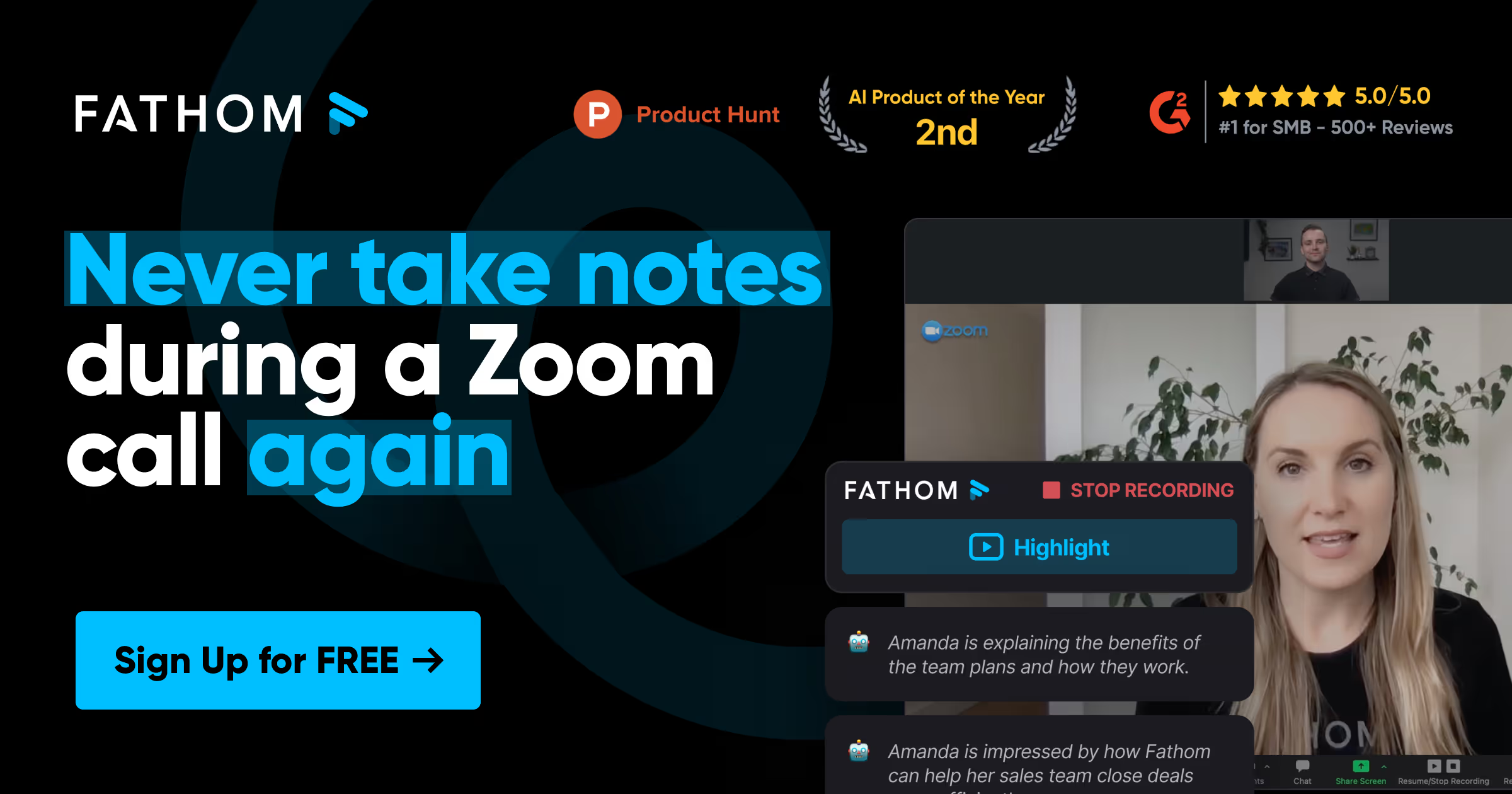
Fathom is an AI-powered notetaking tool designed to enhance productivity during virtual meetings by automating the recording, transcription, highlighting, and summarization processes. By integrating seamlessly with popular video conferencing platforms, Fathom allows users to focus on the conversation without the distraction of manual note-taking.
Pros
- Automated Transcription and Summarization: Fathom provides real-time transcription and swift post-meeting summaries, enabling quick review and follow-up.
- CRM Integration: It automatically syncs meeting summaries and action items with various CRM systems, streamlining workflow.
- Clip Sharing: Users can create and share specific meeting highlights, facilitating effective communication within teams.
- Multi-Language Support: Fathom supports transcription in 28 languages, catering to a diverse user base.
Cons
- Limited Platform Compatibility: Currently, Fathom’s integration is primarily focused on specific video conferencing tools, which may limit its use with other platforms.
- AI Summary Length: Some users have noted that the AI-generated summaries can be shorter than expected, potentially omitting details.
Fathom Key Features
- AI-Powered Notetaking: Automates the process of recording, transcribing, and summarizing meetings, allowing users to concentrate on discussions.
- Instant Summaries: Delivers concise meeting summaries within 30 seconds after the meeting concludes, expediting information dissemination.
- CRM Synchronization: Seamlessly integrates with CRM systems to log meeting details and action items, enhancing team productivity.
- Highlight Sharing: Enables the creation of shareable clips from meetings, improving team collaboration and information sharing.
- Multi-Language Transcription: Offers transcription services in 28 languages, supporting global teams.
Our Experience with Fathom
After utilizing Fathom for several months, we found its automated transcription and summarization features significantly reduced the administrative burden of manual note-taking. The rapid availability of post-meeting summaries facilitated prompt follow-ups and improved team alignment. However, the brevity of some AI-generated summaries occasionally required us to review full transcripts to capture all pertinent details.
Pricing of Fathom
Fathom offers a free plan with essential features suitable for individual users. For teams and enterprises seeking advanced functionalities, Fathom provides a Team Edition with enhanced capabilities. Specific pricing details for the Team Edition are available upon request through Fathom’s official website.
User Reviews about Fathom
Users have praised Fathom for its efficiency in automating meeting documentation, noting significant time savings and improved focus during meetings. The integration with CRM systems and the ability to share meeting highlights have been highlighted as valuable features. Some users, however, have expressed a desire for more detailed AI-generated summaries.
Real-World Applications of Fathom
- Sales Teams: Automates the logging of meeting notes and action items into CRM systems, allowing sales professionals to concentrate on client interactions.
- Customer Success Managers: Provides detailed summaries of client meetings, aiding in the development of tailored solutions and improving customer satisfaction.
- Product Development Teams: Records and transcribes brainstorming sessions, ensuring that innovative ideas are accurately captured and can be referenced later.
- Human Resources: Documents interviews and meetings, assisting in the recruitment process and maintaining accurate records of candidate evaluations.
Alternatives to Fathom
Here are some notable alternatives to Fathom:
- Fireflies.ai
An AI notetaker that transcribes, summarizes, and analyzes meetings across various platforms, offering integrations with numerous collaboration tools. - Otter.ai
Provides real-time AI transcription and automated meeting notes, supporting live collaboration and integration with popular conferencing tools. - Grain
Offers conversation intelligence and AI-powered meeting notes, enabling users to capture key moments and insights from meetings. - Gong
A revenue intelligence platform that analyzes sales conversations to provide insights aimed at improving win rates and revenue. - Chorus.ai
Focuses on conversation intelligence for sales teams, capturing and analyzing customer interactions to enhance sales performance.
Q&A
Is Fathom suitable for large enterprises?
Yes, Fathom offers a Team Edition designed to accommodate the needs of larger teams and enterprises, providing advanced features and integrations.
What platforms does Fathom integrate with?
Fathom integrates with various video conferencing tools and CRM systems to streamline meeting workflows.
Why choose Fathom over other AI note taking tools?
Fathom distinguishes itself with rapid post-meeting summaries, CRM integration, and multi-language support, enhancing productivity and collaboration.
Will Fathom work with my existing CRM system?
Fathom is designed to integrate with multiple CRM systems; however, it’s advisable to check compatibility with your specific CRM.
- Pricing Model: free
- Tags: productivity
Embed a dynamic widget of your Fathom listing like the one below.



Pros
- Automated Transcription and Summarization: Fathom provides real-time transcription and swift post-meeting summaries, enabling quick review and follow-up.
- CRM Integration: It automatically syncs meeting summaries and action items with various CRM systems, streamlining workflow.
- Clip Sharing: Users can create and share specific meeting highlights, facilitating effective communication within teams.
- Multi-Language Support: Fathom supports transcription in 28 languages, catering to a diverse user base.
Cons
- Limited Platform Compatibility: Currently, Fathom’s integration is primarily focused on specific video conferencing tools, which may limit its use with other platforms.
- AI Summary Length: Some users have noted that the AI-generated summaries can be shorter than expected, potentially omitting details.
Fathom Key Features
- AI-Powered Notetaking: Automates the process of recording, transcribing, and summarizing meetings, allowing users to concentrate on discussions.
- Instant Summaries: Delivers concise meeting summaries within 30 seconds after the meeting concludes, expediting information dissemination.
- CRM Synchronization: Seamlessly integrates with CRM systems to log meeting details and action items, enhancing team productivity.
- Highlight Sharing: Enables the creation of shareable clips from meetings, improving team collaboration and information sharing.
- Multi-Language Transcription: Offers transcription services in 28 languages, supporting global teams.
Our Experience with Fathom
After utilizing Fathom for several months, we found its automated transcription and summarization features significantly reduced the administrative burden of manual note-taking. The rapid availability of post-meeting summaries facilitated prompt follow-ups and improved team alignment. However, the brevity of some AI-generated summaries occasionally required us to review full transcripts to capture all pertinent details.
Pricing of Fathom
Fathom offers a free plan with essential features suitable for individual users. For teams and enterprises seeking advanced functionalities, Fathom provides a Team Edition with enhanced capabilities. Specific pricing details for the Team Edition are available upon request through Fathom’s official website.
User Reviews about Fathom
Users have praised Fathom for its efficiency in automating meeting documentation, noting significant time savings and improved focus during meetings. The integration with CRM systems and the ability to share meeting highlights have been highlighted as valuable features. Some users, however, have expressed a desire for more detailed AI-generated summaries.
Real-World Applications of Fathom
- Sales Teams: Automates the logging of meeting notes and action items into CRM systems, allowing sales professionals to concentrate on client interactions.
- Customer Success Managers: Provides detailed summaries of client meetings, aiding in the development of tailored solutions and improving customer satisfaction.
- Product Development Teams: Records and transcribes brainstorming sessions, ensuring that innovative ideas are accurately captured and can be referenced later.
- Human Resources: Documents interviews and meetings, assisting in the recruitment process and maintaining accurate records of candidate evaluations.
Alternatives to Fathom
Here are some notable alternatives to Fathom:
- Fireflies.ai
An AI notetaker that transcribes, summarizes, and analyzes meetings across various platforms, offering integrations with numerous collaboration tools. - Otter.ai
Provides real-time AI transcription and automated meeting notes, supporting live collaboration and integration with popular conferencing tools. - Grain
Offers conversation intelligence and AI-powered meeting notes, enabling users to capture key moments and insights from meetings. - Gong
A revenue intelligence platform that analyzes sales conversations to provide insights aimed at improving win rates and revenue. - Chorus.ai
Focuses on conversation intelligence for sales teams, capturing and analyzing customer interactions to enhance sales performance.
Q&A
Is Fathom suitable for large enterprises?
Yes, Fathom offers a Team Edition designed to accommodate the needs of larger teams and enterprises, providing advanced features and integrations.
What platforms does Fathom integrate with?
Fathom integrates with various video conferencing tools and CRM systems to streamline meeting workflows.
Why choose Fathom over other AI note taking tools?
Fathom distinguishes itself with rapid post-meeting summaries, CRM integration, and multi-language support, enhancing productivity and collaboration.
Will Fathom work with my existing CRM system?Fathom is designed to integrate with multiple CRM systems; however, it’s advisable to check compatibility with your specific CRM.
Explore Similar AI Tools:
-
Hitpaw Vikpea – AI Video Enhancer
-
HitPaw FotorPea – AI Photo Editor
HitPaw FotorPea AI-powered photo editor for effortless image enhancement HitPaw FotorPea combines multiple AI photo tools in one place — […]
-
Edimakor — AI Video Editor
All-in-one AI video editor by HitPaw Edimakor simplifies video creation with powerful AI tools that handle everything from subtitles and […]
-
Keevx
Keevx is an AI-powered video creation platform that makes producing professional videos quick and effortless. In just a few clicks, […]
-
VoxDeck
VoxDeck is an AI-driven presentation creator that elevates standard slide decks into cinematic, story-driven experiences. It comes equipped with AI-generated […]
-
CapMonster Cloud
What is CapMonster Cloud?CapMonster Cloud is an AI-powered service that automatically solves CAPTCHAs and other web-based challenges, helping users streamline […]
-
Faceswapai.com
What is FaceSwapAI?FaceSwapAI is a powerful web-based platform offering AI-driven face swapping for both images and videos. With over 50,000 […]